
Paste the clipboard content (text or image) into a file

How does it work?
Text
Copy a text into your clipboard.
Go to your file browser and do a right click:
- Into empty area / “Clipboard to file” menu: Will create the file clipboard-X.txt.
- Into file / “Clipboard to file” menu: Will ask to overwrite that file content with the clipboard text.
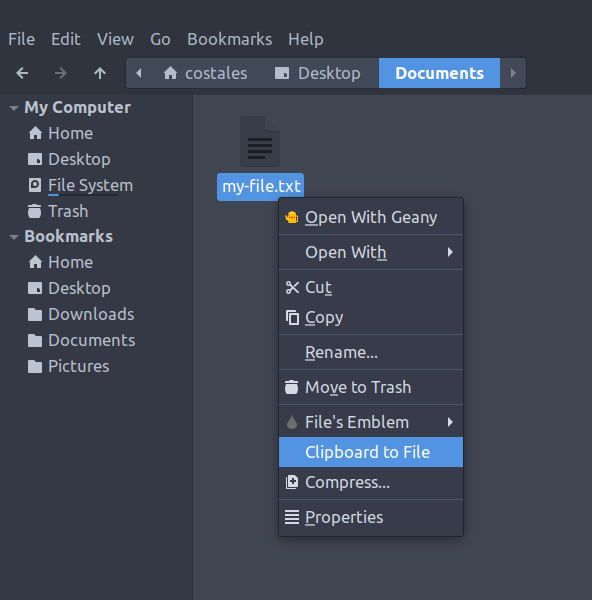
Image
Copy an image into your clipboard.
Go to your file browser and do a right click:
- Into empty area / “Clipboard to file” menu: Will create the file clipboard-X.png.
- Into file / “Clipboard to file” menu: Will ask to overwrite that file content with the clipboard image.
HOW TO INSTALL?
Nautilus
sudo add-apt-repository ppa:costales/clipboard-to-file
sudo apt-get update
sudo apt-get install clipboard-to-file
nautilus -q
Nemo
sudo add-apt-repository ppa:costales/clipboard-to-file
sudo apt-get update
sudo apt-get install clipboard-to-file-nemo
nemo -q
Caja
sudo add-apt-repository ppa:costales/clipboard-to-file
sudo apt-get update
sudo apt-get install clipboard-to-file-caja
caja -q